
Stop Correcting Your AI. Configure It Instead.
How to use instructions, skills, and evaluation loops to make Claude Code, Cursor, and Codex follow your workflow.

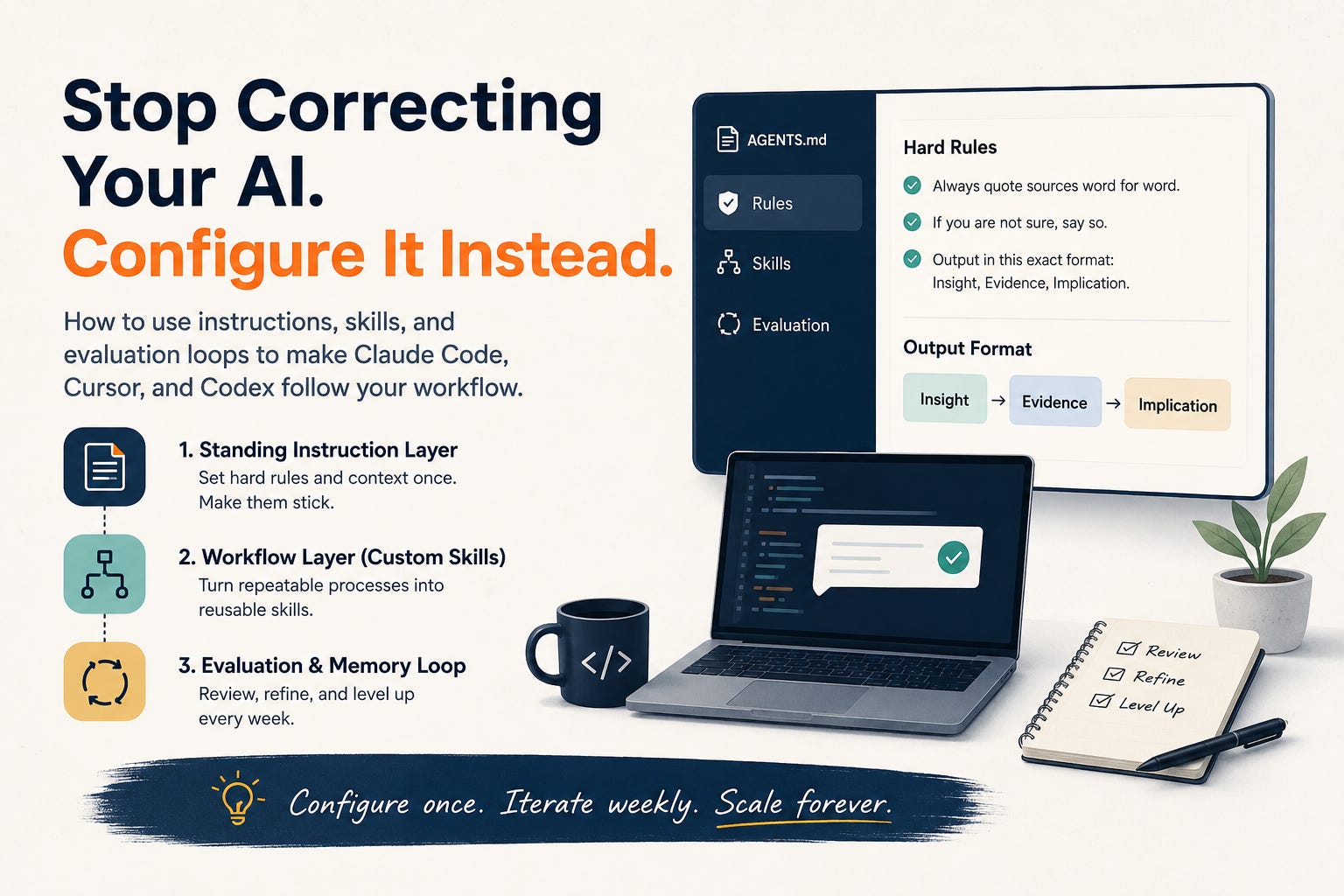
I have been using AI agents as a synthesis partner for my research and engineering projects over the last few months. Whether it’s interview transcripts, affinity grouping, or complex code refactoring, these tools speed up the dull parts.
But for a long time, I was hitting a wall. I would paste in a task, and the AI would hallucinate formats, ignore constraints, or smuggle in insights that weren’t in the data. I would correct it. Next session: same thing.
The fix was not a better prompt. It was configuration.
If you are treating your AI like a junior assistant you have to onboard every morning, you are doing it wrong. Here is how to stop talking to your tools and start configuring them, whether you use Claude Code, Cursor, or Codex.
1. The Standing Instruction Layer
The biggest mistake people make is treating context files like style guides. They are not casual notes; they are persistent instructions loaded into the agent’s working context.
Here is what good standing instruction looks like:
Always quote sources word for word. Never invent a quote or a number.
If you are not sure, say so. Do not fill the gap with a guess.
Output in this exact format every time: Insight, Evidence, Implication.
Where to define your context:
If you use Claude Code:
Use
CLAUDE.mdfor durable project instructions.Use
~/.claude/CLAUDE.mdfor personal defaults.CLAUDE.local.mdfor gitignored local notes, and.claude/rules/*.mdfor modular or path-scoped rules.
If you use Cursor:
Use
.cursor/rules/*.mdcfor structured project rules.Root
AGENTS.mdis also supported for simple project instructions.Note that
.cursorrulesis now legacy.
If you use Codex:
Use
AGENTS.md. Put personal defaults in~/.codex/AGENTS.mdPut project rules in the repo root or nested
AGENTS.mdfiles.If you use a custom OpenAI API/Agents SDK app: Store your reusable instructions however you want, but your app must explicitly load them into the system/developer instructions.
AGENTS.mdis not automatic outside of Codex.
Pro-tip: If you move between Claude Code and Codex, use AGENTS.md as the shared source of truth, then create CLAUDE.md with @AGENTS.md inside it. A symlink also works: ln -s AGENTS.md CLAUDE.md
A real example: synthesizing user interviews
The problem: you paste in a transcript, ask for themes, and get polished paraphrases plus a theme no participant actually said.
The fix is a rule (in CLAUDE.md or AGENTS.md):
Quote participants word for word. Mark anything paraphrased as [paraphrased].
Refer to people as P1, P2, P3. Never invent demographics.
Flag any claim not supported by the transcript with [needs source].
Note: You do not need all of this on day one. Start with one global file and the three corrections you repeat most. Add tiers and skills only when you feel the friction.
2. The Workflow Layer (Custom Skills)
Configuration files handle rules, but they don’t handle actions.
When you have a multi step process, you need Skills.
Think of a skill as a saved, structured prompt. In order to create this, understand your workflow and outline it step by step.
In Claude Code:
Skills live in
.claude/skills/<name>/SKILL.md(project) or~/.claude/skills/<name>/SKILL.md(personal). Claude selects them by description, or you invoke them explicitly.
In Codex:
Skills live in
.agents/skills/<name>/SKILL.md(project) or$HOME/.agents/skills/<name>/SKILL.md(personal).Codex chooses them by description, or you invoke them explicitly with `$skill-name`.
In Cursor:
Use Project Rules with a glob pattern (e.g.,
*.research.md) to trigger specific instruction sets when you interact with those file types.
Build Your Toolkit
Start with the basics. My research workflow relies on these five:
synthesize: Map raw data to research questions with behavioral observations.
discussion-guide: Draft guides with zero leading questions.
insight-card: Force output into a rigid “Insight, Evidence, Implication” format.
refactor-code: Apply specific design patterns or cleanup logic.
share-out: Format complex findings into executive-ready bullets.
Example: the skill
The rule sets the standard. The synthesize skill turns it into a repeatable workflow:
Pull 5 to 8 verbatim quotes that map to the research questions. Cite the line.
Write one behavioral observation per quote. No personality labels.
Group the quotes by research question.
Flag anything that contradicts an earlier participant, with the P-ID.
What comes back on the first pass:
RQ1: Onboarding friction
- “I clicked around for a while before I found where to start.” (P3, line 42)
P3 searched before locating the entry point.
- “I almost gave up at the email step.” (P7, line 88) [contradicts P2, who found it easy]
3. The Evaluation and Memory Loop
The “set it and forget it” mentality is the death of AI productivity. You must build a feedback loop. Every Friday, perform an evaluation:
The “Correction Count”: If you manually edited the AI’s output this week, that correction is a missing instruction. Add it to your config files immediately.
The “Drift Check”: Is the AI getting lazy? If your templates are falling apart, add a “Formatting Constraint” section to your instruction file that explicitly lists the required headers and strict output requirements.
The “Memory Sync”:
Promote what works: If you find yourself repeating a task for the third time, turn it into a reusable skill. If it is broadly useful, move it from your project folder to your global folder so future projects inherit the upgrade.
Mind the memory: Periodically clear out outdated project context. If a rule is no longer relevant to your current study, move it out of the project folder so it doesn’t clutter the AI’s attention window.
Example: the loop
The week you notice it still slips in “users were frustrated,” you add one line to the rule file: describe what people did, not how they felt, unless they said it. Next session, it is gone.
That is the whole system on one task. A rule holds the standard, a skill runs the steps, and the loop turns every correction into a permanent fix.
Stop Chatting. Start Architecting.
For months, I was treating my AI like an intern I had to babysit. I was exhausted by the ritual of context-dumping.
Once I flipped the switch, treating my workspace as a configurable system rather than a conversational partner, everything changed. When I first set this up for a quarterly study I run, synthesis went from three days to one. The AI did not get smarter. I just stopped reexplaining myself every morning. Synthesis came back usable on the first pass. Code followed my project’s specific architectural patterns immediately.
If you do one thing today: identify the three corrections you repeat most often. Move them into your configuration files. You will know within 24 hours if the five minutes of setup were worth it.
Sources and further reading:
Claude Code memory
Claude Code skills
Claude Code configuration
Codex AGENTS.md
Codex skills
Cursor rules